Support Pro Customer Support Software: Empowering Teams of Any Size with Advanced Collaboration and Automation
Discover how Support Pro helps businesses streamline customer support through multi-channel communication, AI-powered automation, team collaboration tools, and flexible pricing — designed for teams from startups to enterprises.
Founder & Lead Developer at Metorox Software LLC — 10+ years of full-stack development experience building custom software, WordPress plugins, SaaS platforms, and digital marketing solutions for small businesses. Learn more about Ryan →
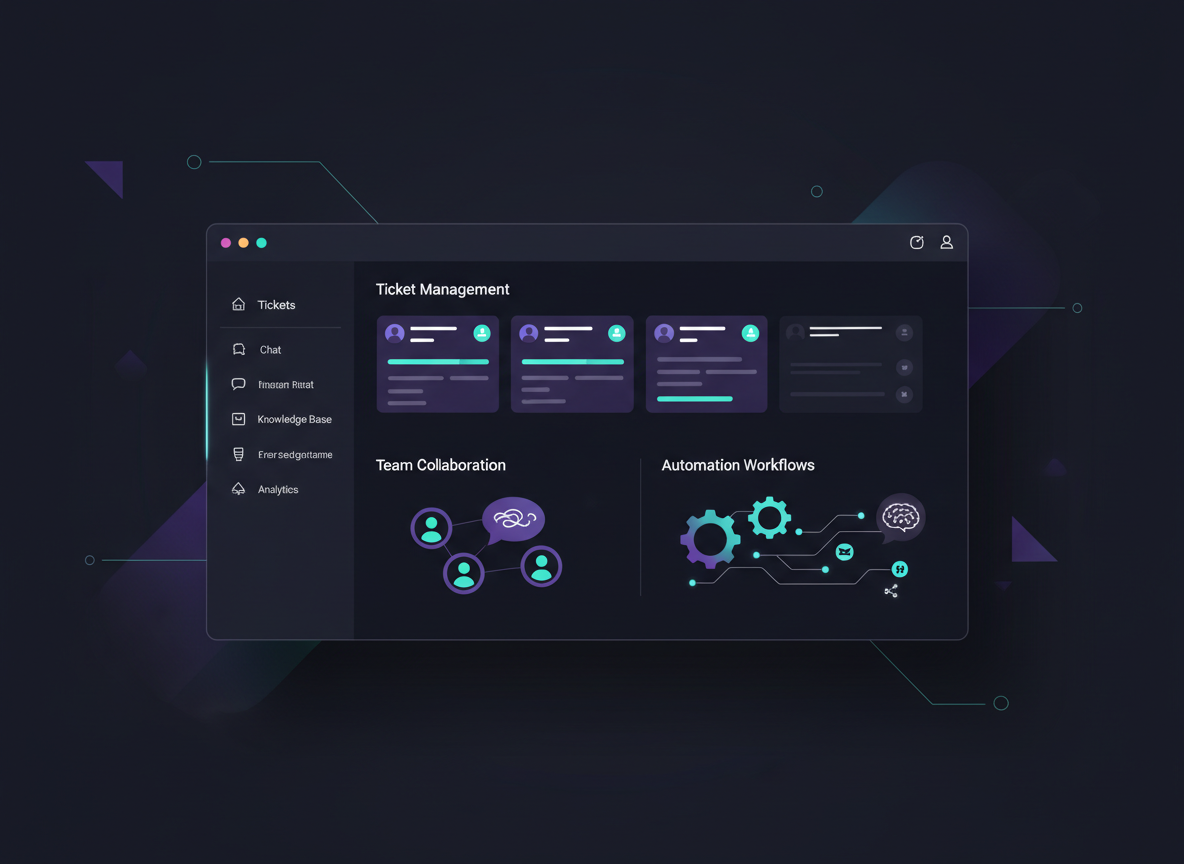
In today's fast-paced business environment, effective customer support is crucial for maintaining customer satisfaction and loyalty. Support Pro is a comprehensive customer support software designed to empower teams of any size through advanced collaboration and automation features.
This article explores the essential features of Support Pro, how it enhances customer service efficiency, and the benefits of its flexible pricing models. By understanding these aspects, businesses can make informed decisions about their customer support strategies.
“We present an overview of a novel customer support system that uses mass collaboration to provide support for a large number of users. In recent years, mass collaboration has been proposed for uses ranging from open source software development to scientific research.”
— Mass collaboration: a case study [customer support system], R Ramakrishnan, 2004
Whether you're a startup with a small team or a growing enterprise, understanding how Support Pro can transform your customer support operations is essential for staying competitive.
What Are the Essential Features of Support Pro?
Support Pro offers a range of essential features that streamline customer support processes and enhance team collaboration. These features work together to improve overall efficiency and customer satisfaction.
Automation Capabilities
Support Pro automates repetitive tasks, allowing support teams to focus on more complex customer inquiries. This not only increases productivity but also enhances the quality of customer interactions.
Multi-Channel Support
With the ability to manage customer interactions across various channels — such as email, chat, and social media — Support Pro ensures that teams can reach customers wherever they are, improving response times and customer satisfaction.
Team Collaboration Tools
Support Pro includes tools for project tracking, document sharing, and real-time communication, enabling teams to work together seamlessly and resolve customer issues more effectively.
Which Team Collaboration Tools Does Support Pro Offer?
Support Pro provides a suite of team collaboration tools designed to facilitate seamless communication and task management among support staff:
Project Tracking
Teams can monitor the progress of customer inquiries and support tickets, ensuring that no issue is overlooked.
Document Sharing
Support staff can easily share important documents and resources, fostering collaboration and knowledge sharing.
Real-Time Communication
Instant messaging features allow team members to communicate quickly, enabling faster resolution of customer issues.
These collaboration tools are essential for maintaining an organized and efficient support environment. Learn more about our full Support Pro feature set.
How Does Multi-Channel Support Enhance Customer Service Efficiency?
Multi-channel support is a critical component of modern customer service strategies. By allowing customers to reach out through their preferred channels, businesses can significantly enhance their service efficiency.
Improved Customer Reach
Multi-channel support expands the avenues through which customers can contact support, ensuring that no inquiry goes unanswered.
Streamlined Communication
By integrating various communication channels, Support Pro allows teams to manage all customer interactions in one place, reducing the risk of miscommunication and ensuring a cohesive customer experience.
Increased Customer Satisfaction
Customers appreciate the flexibility of choosing how they interact with support teams, leading to higher satisfaction rates and loyalty.
The integration of multi-channel support not only benefits customers but also equips support teams with the tools they need to respond quickly and effectively across every communication channel.
How Does Support Pro Leverage Automation to Improve Customer Support?
Automation is a key feature of Support Pro that significantly enhances customer support operations. By automating routine tasks, Support Pro allows teams to focus on providing high-quality service.
Reduction of Manual Tasks
Automation reduces the need for manual data entry and repetitive processes, freeing up time for support staff to engage with customers more meaningfully.
Increased Productivity
With less time spent on administrative tasks, support teams can handle a higher volume of inquiries, improving overall productivity.
Enhanced Customer Interactions
Automation tools, such as chatbots, can provide immediate responses to common questions, ensuring that customers receive timely assistance.
“Chatbots using artificial intelligence are transforming customer service in today's rapidly evolving digital environment. The way companies engage with their customers is undergoing a major transformation, thanks to these smart virtual assistants that offer immediate and tailored support around the clock.”
— AI-Powered chatbots: Revolutionizing customer Service in the digital Era, 2025
What Customer Support Automation Tools Are Integrated?
Support Pro integrates several automation tools that enhance its functionality and improve customer support outcomes:
Ticket Management
This tool automates the process of tracking and managing customer inquiries, ensuring that all tickets are addressed promptly.
AI-Powered Chatbots
AI-powered chatbots can handle basic customer queries, providing instant responses and freeing up human agents for more complex issues.
Email Automation
Automated email responses can acknowledge customer inquiries and provide relevant information, improving communication efficiency.
How Does AI-Powered Automation Increase Team Productivity?
AI-powered automation plays a significant role in enhancing team productivity within Support Pro. By utilizing advanced algorithms, Support Pro can optimize various aspects of customer support:
Streamlining Repetitive Tasks
AI can automate routine inquiries, allowing support staff to focus on more complex issues that require human intervention.
Focus on Strategic Initiatives
With less time spent on repetitive tasks, teams can concentrate on strategic initiatives that drive business growth and improve customer satisfaction.
Improved Engagement
AI tools can analyze customer interactions to provide insights that help teams engage more effectively with customers, leading to better outcomes.
The integration of AI-powered automation not only boosts productivity but also enhances the overall quality of customer support. See how AI tools are transforming small businesses.
What Pricing Models and Plans Does Support Pro Provide?
Support Pro offers a variety of pricing models designed to accommodate teams of all sizes, ensuring that businesses can select a plan that aligns with their specific needs and budget.
Starter Plan
$299/mo
Core ticketing, email support, basic automation, up to 5 agents
Growth Plan
$549/mo
Multi-channel support, advanced automation, analytics, up to 15 agents
Pro Plan
$899/mo
AI chatbots, custom integrations, priority support, up to 30 agents
Elite Plan
$1,399/mo
White-label, dedicated manager, custom SLA, unlimited agents
How Do Support Pro's Pricing Options Ensure Affordability and Scalability?
Discounts for Annual Subscriptions
Teams can save money by opting for annual billing, making it a cost-effective choice for long-term use.
Scalability for Growing Teams
As businesses expand, they can easily upgrade their plans to accommodate more users and features without significant disruptions.
Cost-Effective Options
Each plan is tailored to provide value at different price points, ensuring that teams can find a suitable option regardless of their budget.
“This paper introduces readers to the concept of software as a service (SaaS) and helps them evaluate a business case for where to use SaaS in the enterprise. While the underlying concept behind SaaS — renting your business application as a service — is not new, changes in technology and the software landscape now make this model a viable and smart alternative to licensed software.”
— Software as a service: A look at the customer benefits, 2005
This flexible pricing model allows businesses to grow without the burden of excessive costs. View our full pricing comparison for all Metorox products and services.
How Does Support Pro Facilitate Effective Team Collaboration?
Support Pro is designed to facilitate effective team collaboration, which is essential for delivering high-quality customer support.
User-Friendly Interface
The intuitive design of Support Pro makes it easy for team members to navigate and utilize the platform effectively.
Real-Time Updates
Teams receive instant notifications about customer inquiries and ticket updates, ensuring that everyone is on the same page.
Streamlined Client Interactions
Support Pro enables teams to manage client communications efficiently, reducing response times and improving customer satisfaction.
Which Features Support Real-Time Communication and Task Management?
Client Portal Functionalities
Customers can access a dedicated portal to submit inquiries and track the status of their requests, enhancing transparency.
Project Management Tools
Teams can organize tasks and monitor progress, ensuring that all customer issues are addressed promptly.
Direct Communication with Support Team
Real-time messaging capabilities allow customers to communicate directly with support staff, facilitating faster resolutions.
How Does Support Pro Integrate with Other Platforms?
Support Pro offers integration capabilities with various collaboration platforms, enhancing its functionality and usability:
What Are the Advantages of Using Support Pro?
Support Pro stands out among other help desk software solutions due to its unique features and benefits:
Unique Features
Support Pro offers advanced automation and collaboration tools that are not commonly found in other solutions, including AI-powered chatbots and severity-based SLA management.
Cost-Effectiveness
With flexible pricing plans, Support Pro provides excellent value for businesses of all sizes — from startups to enterprises.
User Satisfaction
Positive user feedback highlights the effectiveness of Support Pro in improving customer support operations and team productivity.
How Does Support Pro Address Common Customer Support Challenges?
Custom Software Development
Support Pro can be tailored to meet the specific needs of different businesses, ensuring that teams have the tools they require.
Ongoing Support
The platform provides continuous updates and support, helping teams stay current with the latest features and best practices.
Client Resources
Support Pro offers a wealth of resources to assist teams in optimizing their use of the software.
How Can Teams Get Started with Support Pro?
Getting started with Support Pro is a straightforward process:
Access the Client Portal
Teams can log into the client portal to begin the setup process and explore available features.
Explore Features
Users are encouraged to familiarize themselves with the various features and tools available within the platform.
Contact Support
For any questions or assistance, teams can reach out to Support Pro's dedicated support team for personalized help.
For a detailed walkthrough, see our Support Pro setup guide or visit the full product page.
Related Articles & Resources
Ready to Transform Your Customer Support?
See how Support Pro can empower your team with advanced collaboration and automation tools.
Founder & Lead Developer at Metorox Software LLC — 10+ years of full-stack development experience building custom software, WordPress plugins, SaaS platforms, and digital marketing solutions for small businesses. Learn more about Ryan →